Tap to Pay on your phone
Take cards on the phone you already carry. No new terminal to buy.
Coupling is the shop system for independent WNC businesses — farm stands, massage, chiropractic, and the stores already ringing sales on a phone, from Hendersonville to Haywood Road. Mix cash, card, and rewards. Let customers book the next visit.
Take cards on the phone you already carry. No new terminal to buy.
Stay on the checkout you already run. Mix cash, card, and rewards on one sale.
Sell items, time the order, and let customers book the next appointment.
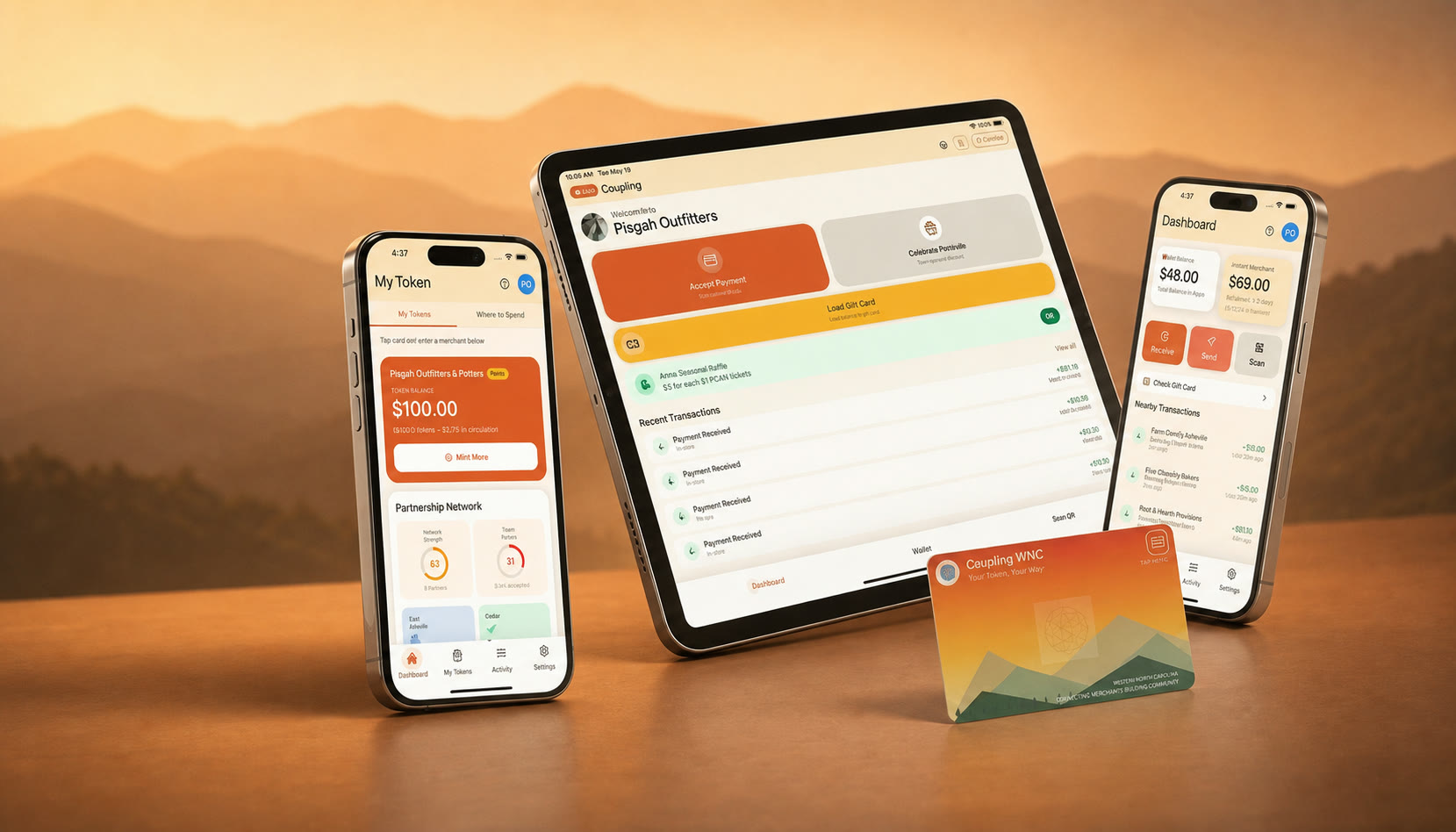
Built for independent WNC shops already on Square or Clover on a phone: farm stands, massage, chiropractic, and the stores ringing sales from a pocket, not a back office. We don't sell terminals. POS is mobile-only.
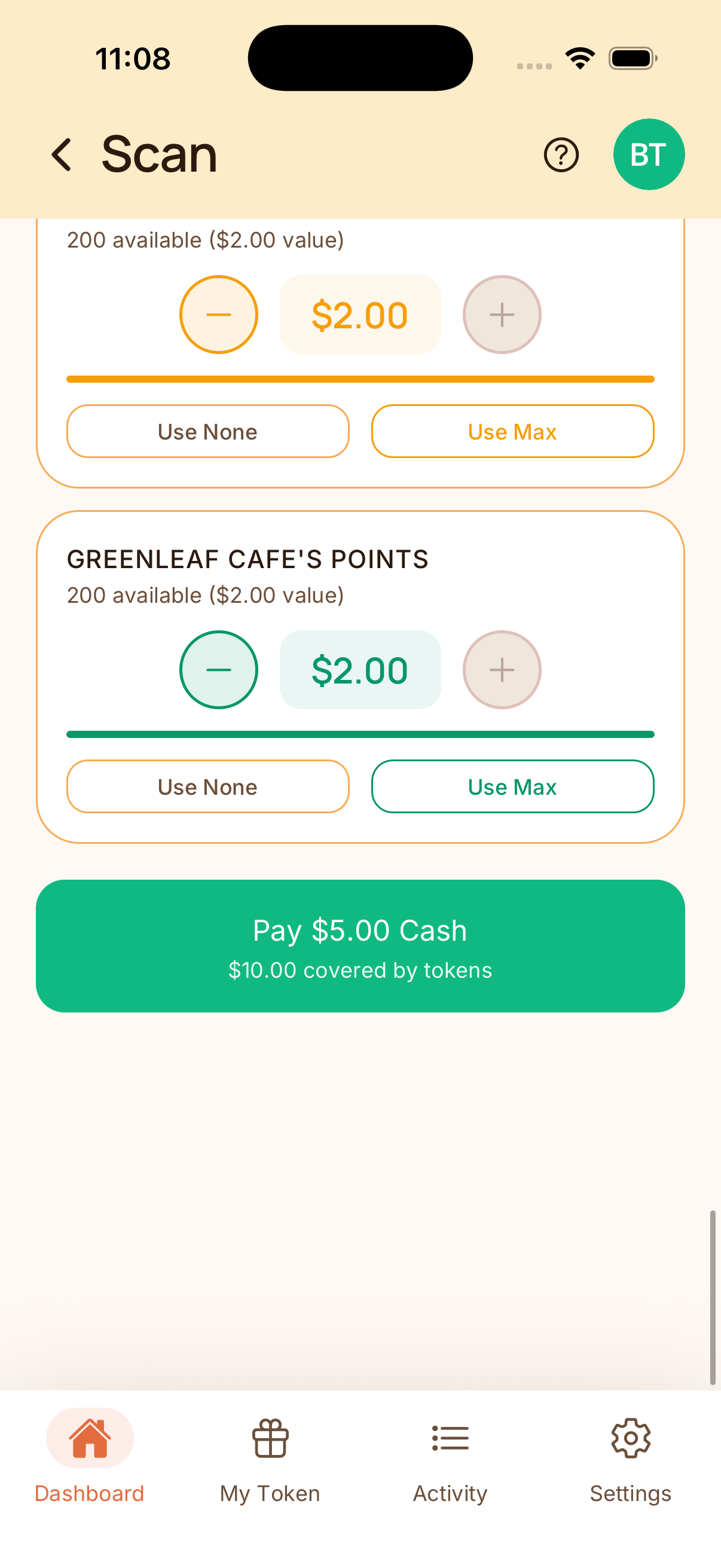
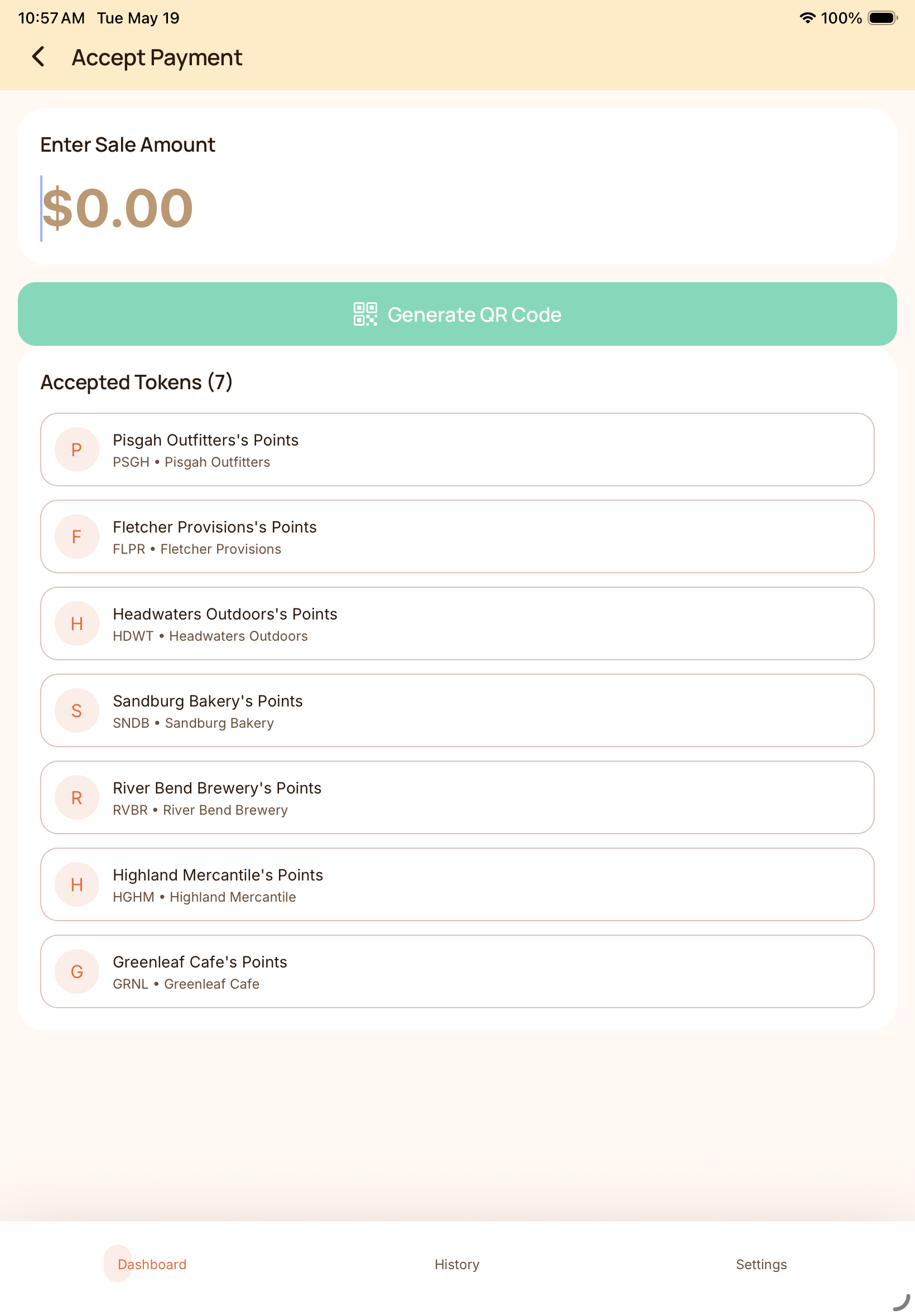
Catalog, checkout, mixed tender
Put items in a catalog, take the order, and split the ticket across cash, card, and rewards. Keep Square or Clover if you already use them.
Appointments included
Massage, chiropractic, and other appointment businesses can take bookings in the same system that handles checkout and rewards.
Keep the checkout you already run. Coupling plugs in beside Square or Clover, or runs Tap to Pay on the phone in your pocket. Rewards come off the ticket, the remaining balance is collected as usual, and the new reward lands automatically. We do not sell terminals.
How the integrated checkout works
Keep your current checkout. Add Coupling beside it.
The flow below is the Square-connected experience. Clover works the same idea. Screenshots under it show the mobile POS — a demo of the app, not hardware we sell.
Checkout system
Square POS
$15.00 sale
A normal Square sale creates the matching charge inside Coupling. Clover works the same way.
Rewards layer
Coupling
-$10.00 in rewards
Customers use eligible rewards, and Coupling updates the amount still due.
Checkout system
Square POS
$5.00 paid
The shopper pays the remaining amount through Square, Clover, or Tap to Pay on your phone.
Rewards layer
Coupling
+$0.25 reward
Payment confirmation issues the new reward, and the customer receives it immediately.
Available now
Tap to Pay on your phone, Square, and Clover. Mix cash, card, and rewards on one sale.
Also live
Catalog, order timing, and full appointment booking in the same mobile POS.
Honest about hardware
POS is mobile-only. We do not sell terminals. Hardware in photos is a demo of the app on a phone or tablet you already own.
What the shopper sees
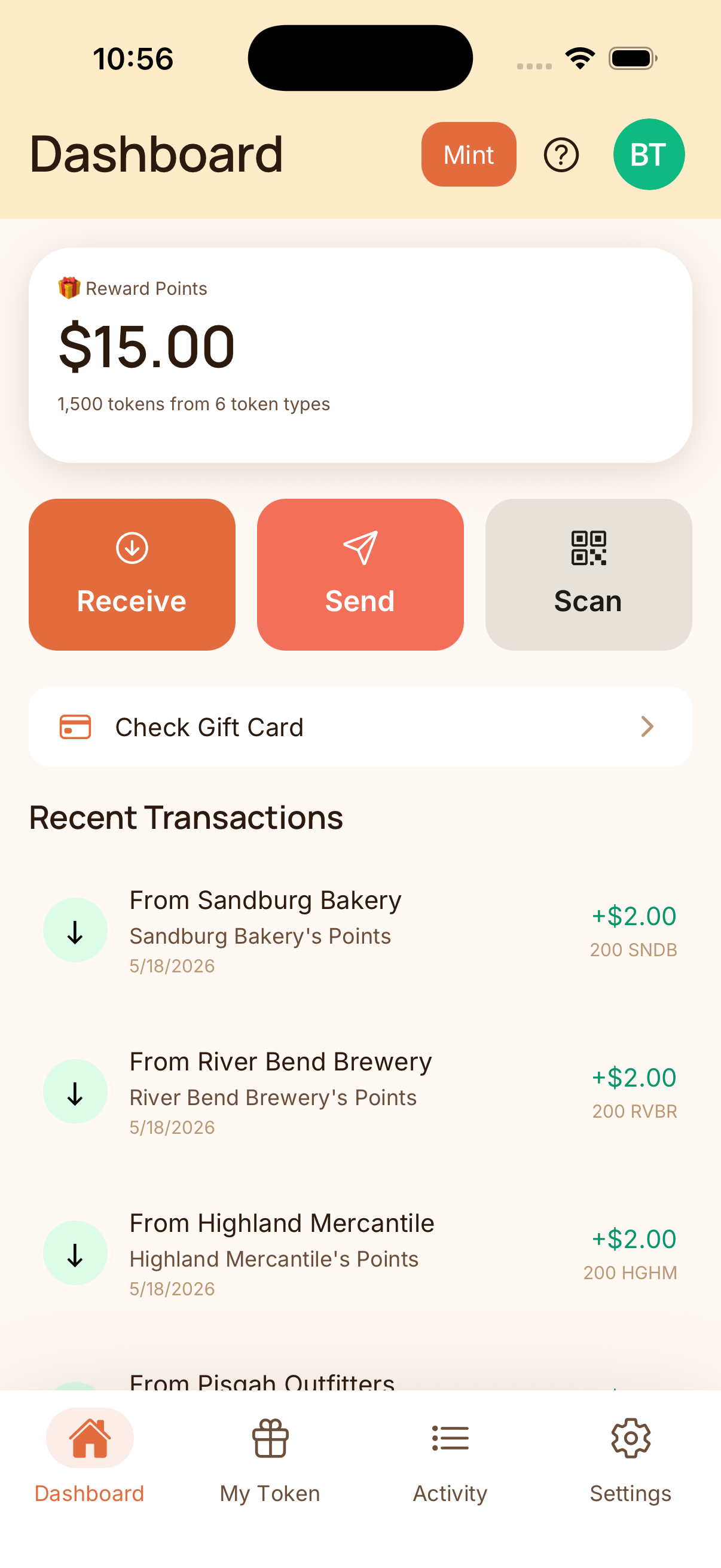
Rewards reduce the balance before checkout, and the new reward appears after the sale closes.
Screenshots below show the live mobile POS. The Square-connected version uses the same redemption and reward logic, but the sale starts and finishes inside Square. Clover follows the same pattern.
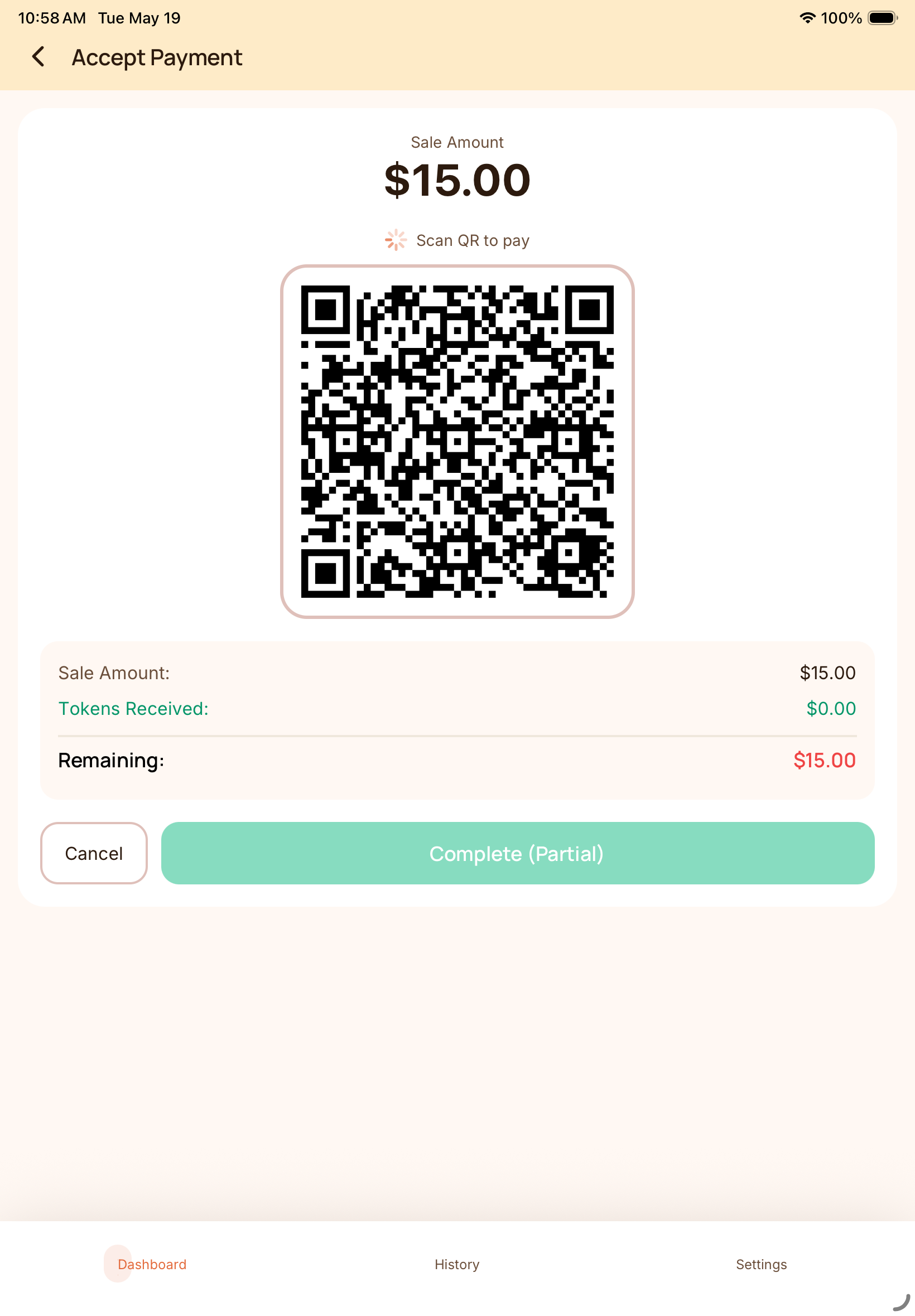
Ring the sale on your phone. Coupling POS is mobile-only — the same phone you already carry, not a terminal we sell.
The shopper pays with card (including Tap to Pay), cash, rewards, or a mix. The app shows how much is covered before the sale closes.
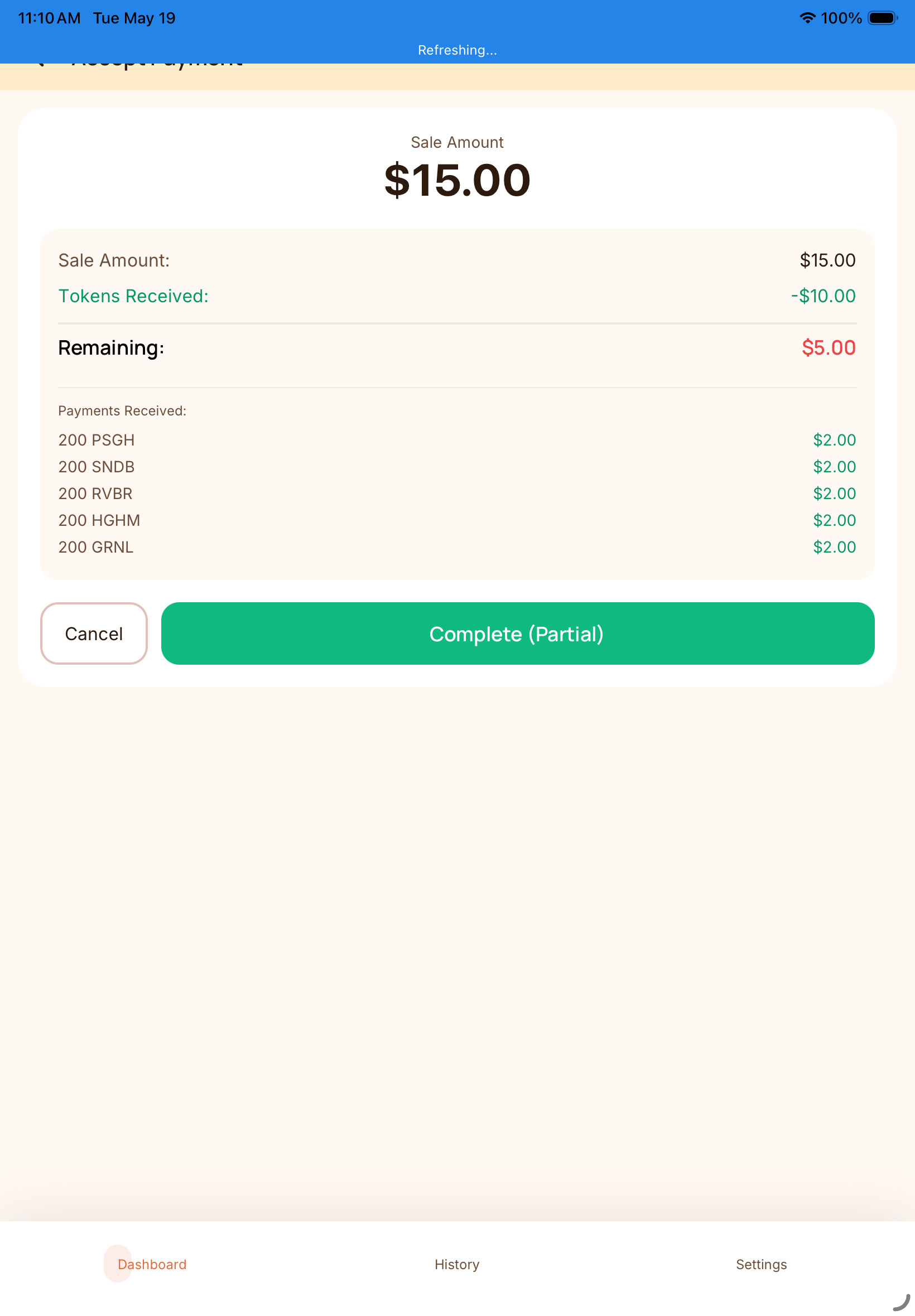
Coupling shows the rewards already applied and the amount still due so you can finish the sale in Square, Clover, or on your phone.
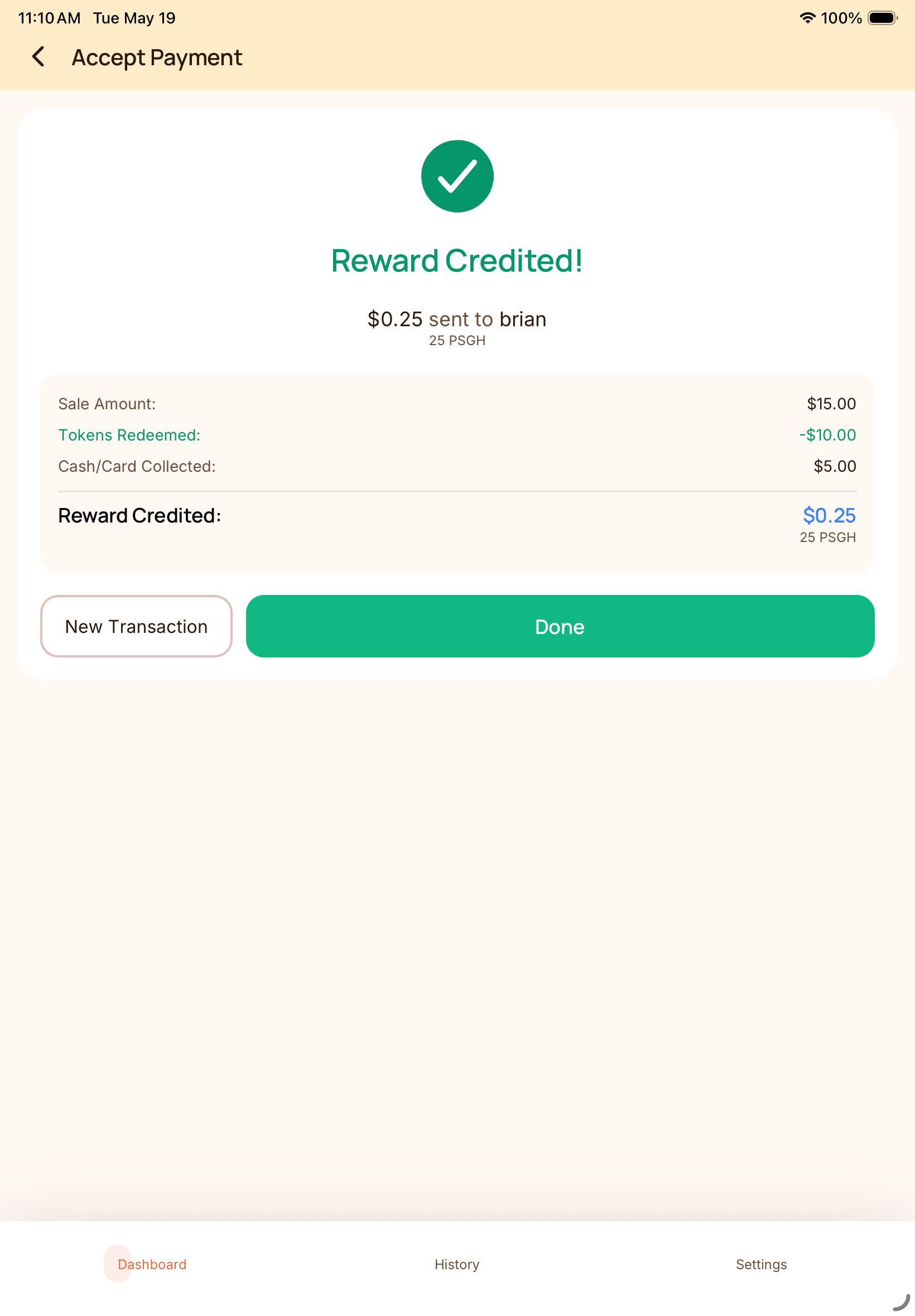
When the sale completes, Coupling issues the new reward back to the customer — no extra step at the counter.
Once checkout is running, you choose which local merchants to connect with and how much of their rewards you'll accept. That helps bring in new customers, gives existing customers more ways to spend, and keeps more value moving through the local network.
Bring in customers from other local businesses, encourage repeat visits, and control your exposure with merchant-set limits.
Use rewards, vouchers, and gift value at more than one business instead of being stuck with a single merchant.
Keep more spending inside a connected group of local businesses instead of losing value out of the area.
Start with checkout and your own rewards, then add a partner when the relationship makes sense and cap how much of their value you accept.
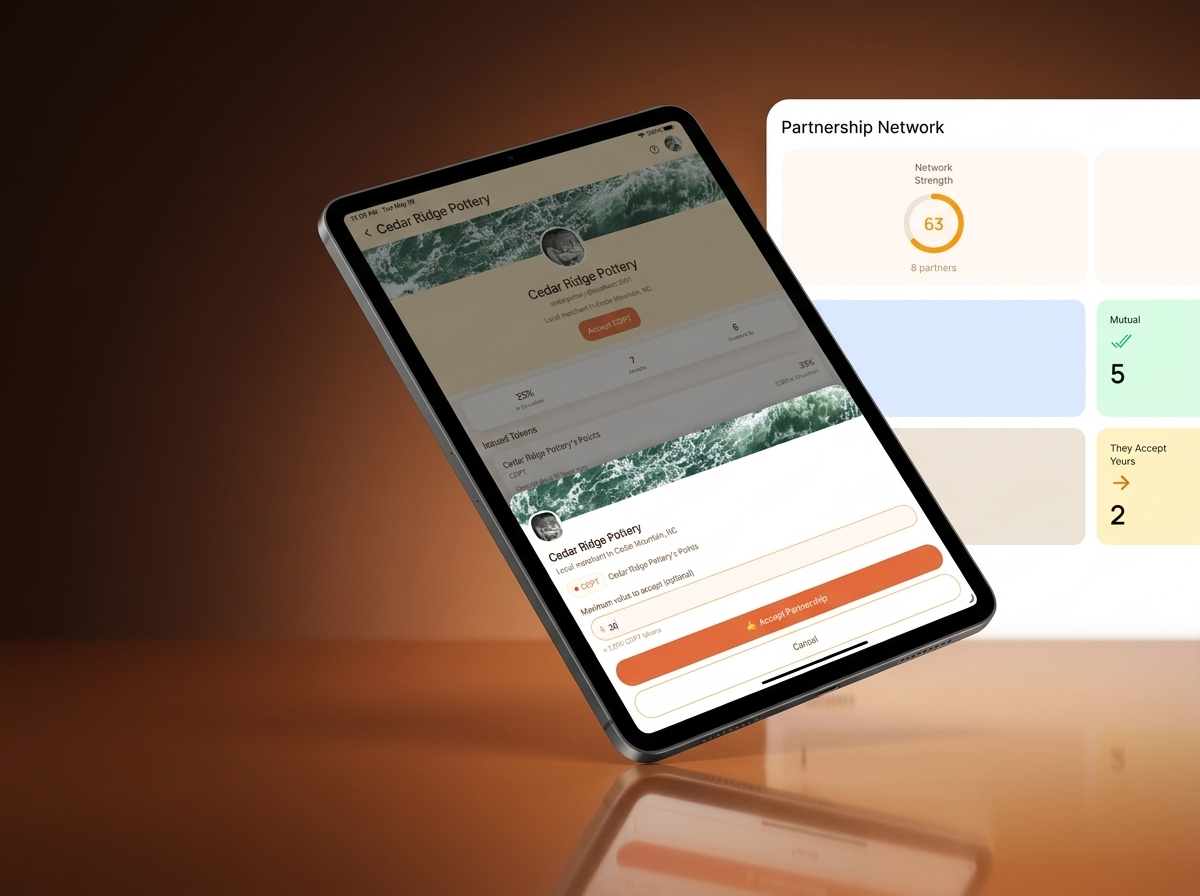
Merchant control
Accept value only from businesses you trust and want to bring into your local circle.
Acceptance cap
Set a dollar amount that fits your comfort level before any partner value is accepted.
Local growth
Give customers more places to spend while keeping the relationship rooted in WNC merchants.
Lead with checkout and rewards, vouchers, or gift cards customers already understand.
Choose a nearby merchant with overlapping customers or a natural business relationship.
Raise the cap only after the partnership proves useful for both sides.
WNC example
Mountain Roast can choose to accept up to $100 of Slope Side value, then bring that value back to Slope Side for wholesale orders, event tabs, or future redemptions.
That keeps the partnership useful without making the network feel abstract, risky, or hard to explain to staff.
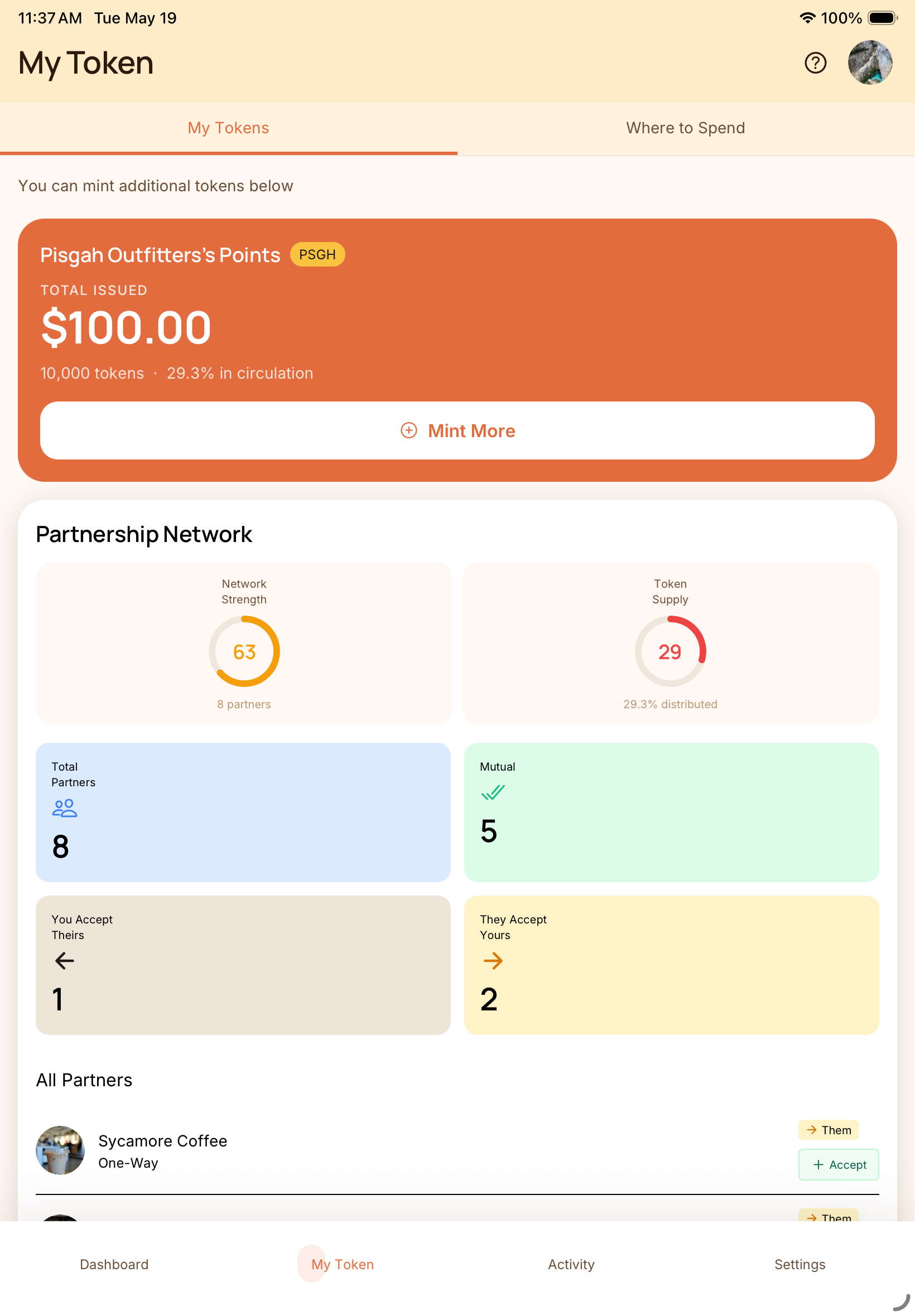
Track who you are connected to, how strong your network is, and which reward relationships are active.
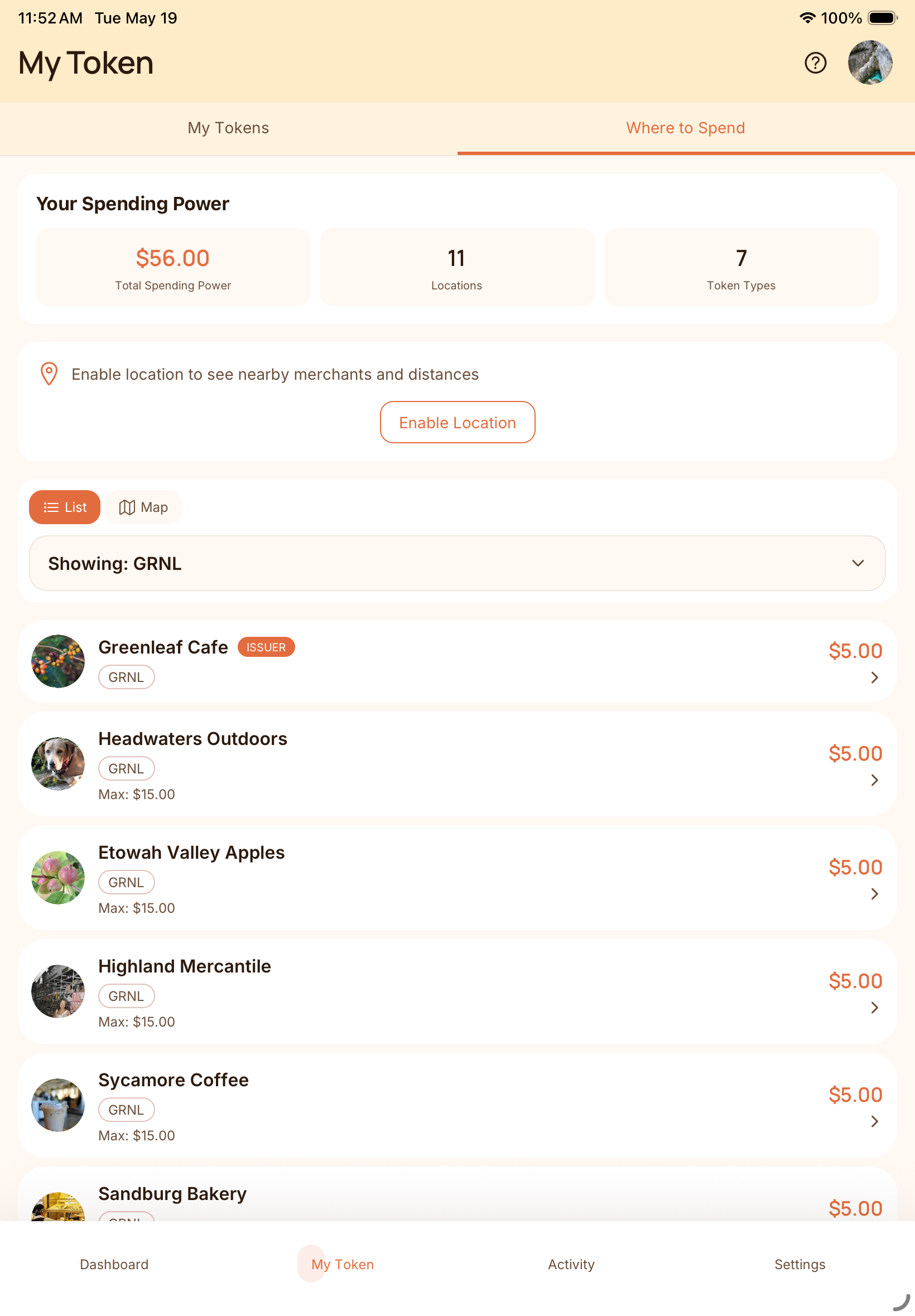
Customers and merchants can quickly see which nearby businesses accept a reward, making it more useful.
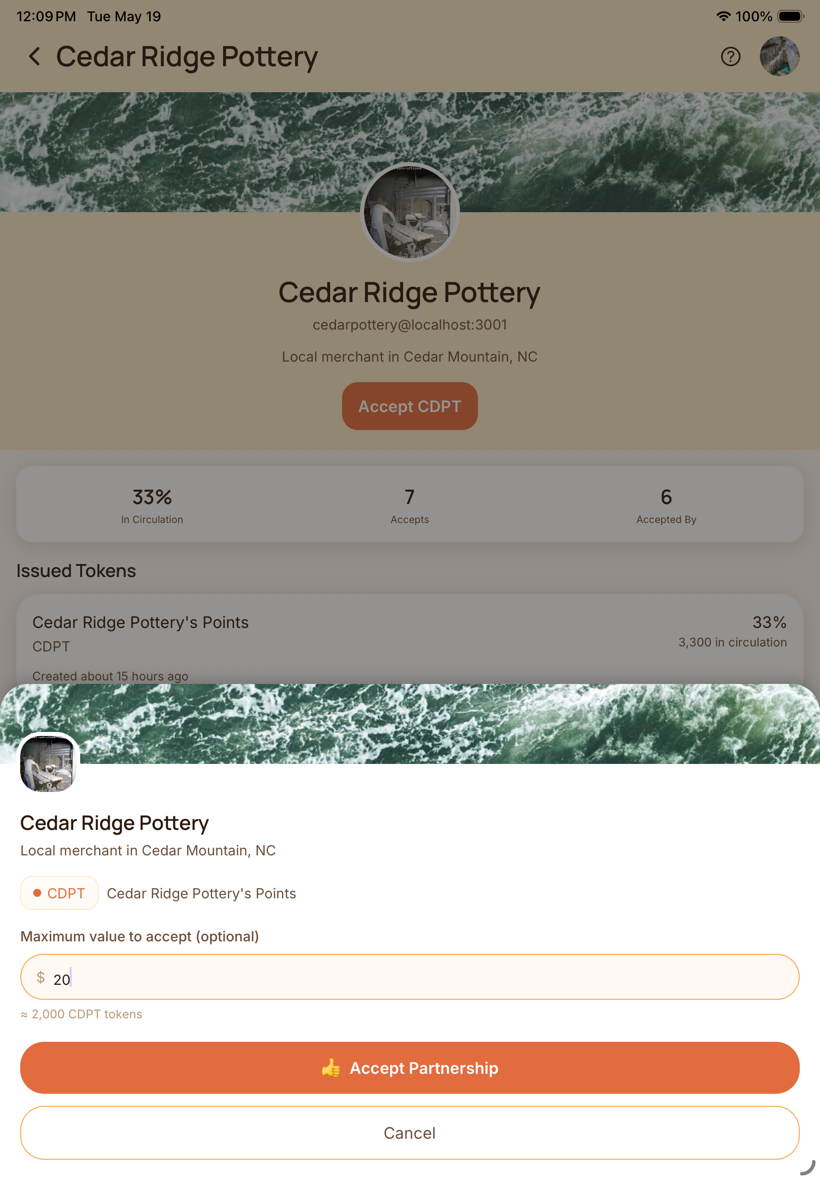
Accept a partner's rewards up to a dollar amount you choose, so you stay in control as the network grows.
One low monthly subscription, no per-sale Coupling fee, and checkout, booking, and rewards on the phone you already have.
Merchant subscription
Run checkout, appointments, and rewards without paying a Coupling fee every time a customer pays or redeems.
Reward issuance cost
Issue rewards without paying a percentage of every redemption. Coupling costs stay tied to running the shop tools, not a cut of every sale.
Issue $10,000 worth of rewards for about $1.20.
Need help planning a rollout or merchant network?
Book a demo and we'll walk through your current checkout flow, network goals, and what the pricing looks like for your shop.
"I use Coupling for reward points and gift cards at my massage therapy practice. My clients love earning rewards they can share with friends."
Emily Manders, Sacred Hands Alchemy
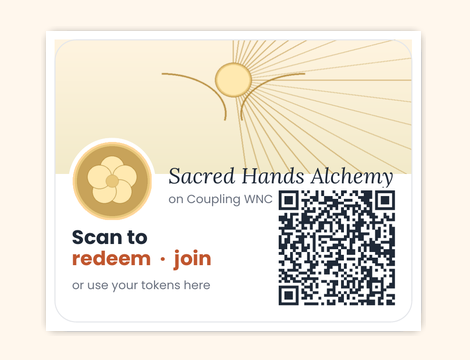
At Sacred Hands Alchemy, customers can scan the sticker, redeem rewards, and book the next visit. Checkout and the offer live together — the kind of setup a Hendersonville or Asheville shop can actually run tomorrow.
We'll walk through Tap to Pay, Square or Clover, mixed checkout, appointments, and rewards using the way you already sell.
Ask about bonus vouchers toward your subscription when you try Coupling.